(Last Updated on June 17, 2026 by Henry)

When you spend countless hours gripping a mouse or tapping away on a keyboard, your hands and wrists bear the brunt of it all. Repetitive actions can lead to discomfort, pain, and even long-term issues if not addressed.

Both gamers and desk workers are at risk of developing these problems because their daily routines often demand continuous and precise hand movements.

Whether you’re navigating fast-paced competitive matches, grinding through lengthy gaming sessions, coding, or working through a full day of typing, your hands are constantly under stress.

Stiffness and fatigue in the hands and wrists are common complaints among those who use these tools without relief.

Over time, these small, repetitive actions can reduce mobility and cause significant distress. That’s why it’s crucial to pay attention to circulation, flexibility, and strength. A well-rounded approach to hand health strengthens your fingers and palms while helping reduce gaming-related hand fatigue, typing discomfort, and the onset of repetitive strain issues.

Prevention is the name of the game. It’s far simpler to keep issues at bay than to recover from them once they’ve set in. Regular hand exercises not only help in maintaining comfort but also enhance overall performance, whether you’re in a fast-paced game, aiming for consistent mouse control, or in the middle of a demanding work project. So, by integrating these exercises into your routine, you’re investing in a future with healthier, more agile hands that can handle both gaming and desk work more comfortably.

Mobility Exercises to Reduce Stiffness

Stiffness in the hands can sneak up on you, especially if you’re spending long hours at your desk or gaming without breaks. Mobility exercises are your first line of defense, helping keep your fingers and wrists limber and fully functional.

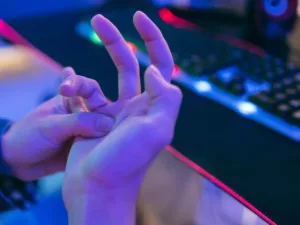
Finger extensions and spreads are excellent for enhancing your range of motion. By stretching your fingers outward and apart from each other, you activate various muscles that might otherwise remain static during your usual activities, such as typing, clicking, or holding a controller.

Wrist circles and controlled rotations can relieve tension that’s been building up. By slowly rotating your wrist in a circular motion, you’re encouraging fluid movement and fighting off stiffness that commonly develops during extended gaming sessions or desk work.

Mobility is often the first thing lost during long gaming sessions
and workdays: the first thing that should be restored.

Tendon gliding exercises play a vital role in maintaining finger health, especially for those who engage in tasks requiring repetitive input. These exercises help your tendons move freely through their sheaths, ensuring better hand function and reducing the likelihood of irritation from constant keyboard or mouse use.

Thumb mobility drills are often overlooked but are essential for anyone using controllers, keyboards, or mice for prolonged periods. Keeping your thumbs nimble helps maintain precision, comfort, and responsiveness during gaming and daily computer tasks.

Regular mobility work not only supports healthy movement patterns but also prepares your hands and wrists for more demanding activities. It gives you the flexibility required to perform your tasks with ease while helping reduce stiffness and maintain long-term hand health.

Stretching Exercises for Tired Hands and Forearms

Stretching Exercises for Tired Hands and Forearms

Long hours at the keyboard or gripping a controller can leave your hands and arms feeling exhausted. Stretching is a simple yet effective way to relieve this tension and restore vitality. For gamers and desk workers alike, regular stretching can help counteract the effects of prolonged typing, clicking, and repetitive hand movements.

Forearm flexor stretches are a must if you’re experiencing stiffness. These stretches target the muscles along the inside of the forearm. By gently pulling back on the fingers, you stretch the flexors, which can help ease aching muscles and reduce tension caused by extended keyboard or mouse use.

Don’t forget about the forearm extensors: these muscles on the opposite side of the forearm can also tighten up. To stretch them, gently bend your wrist forward and hold. This balances out the stretch and targets all the muscles involved in repetitive tasks, helping maintain comfort during long gaming or work sessions.

For those dealing with heavy typing loads, wrist and finger stretches are incredibly beneficial. Straighten your arm and use the opposite hand to apply a gentle pull. This simple movement can aid in reducing accumulated tension in both areas while supporting healthy wrist mobility and finger function.

While the thumb often goes unnoticed in terms of stretching, giving it some attention through gentle bends can provide relief from stiffness, especially from repetitive motions. The same goes for the palm, where light stretches help maintain elasticity and comfort for controller users, gamers, and office workers.

Timing is key: some stretches have greater benefits when done at specific points during the day. Stretching in the morning can alleviate stiffness from sleep, while midday stretches combat fatigue buildup from gaming or desk work. A quick stretch before bedtime can also help relax your hands and forearms for a restful night.

Strengthening Exercises for Better Hand Endurance

Strengthening Exercises for Better Hand Endurance

Building endurance in your hands can significantly improve your performance in both gaming and desk work. It’s all about creating a balance between strength and functionality, allowing you to handle long gaming sessions, extended typing periods, and repetitive hand-intensive tasks without pain or fatigue setting in.

Hand exercises that benefit gamers and desk workers include:

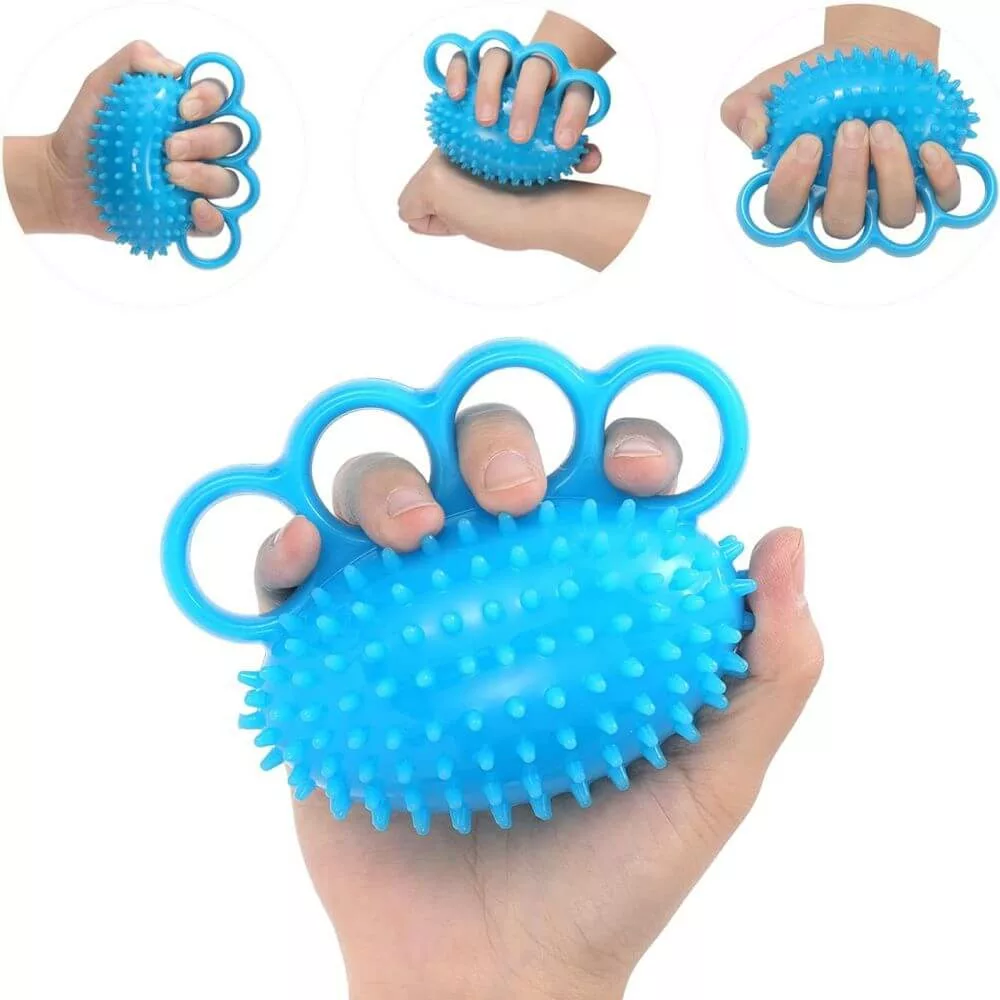
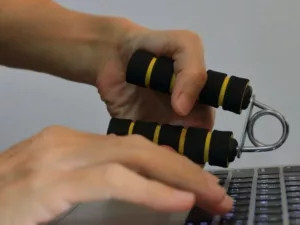
  • Hand gripper squeezes for controlled strength – Regular hand gripper training helps build grip endurance and stamina, making it easier to maintain mouse control, controller grip, and typing performance during long sessions.
  • Rubber band finger extensions for balance – Opening the fingers against resistance strengthens the often-neglected muscles on the back of the hand, helping offset the repetitive gripping and finger flexion common in gaming and desk work.
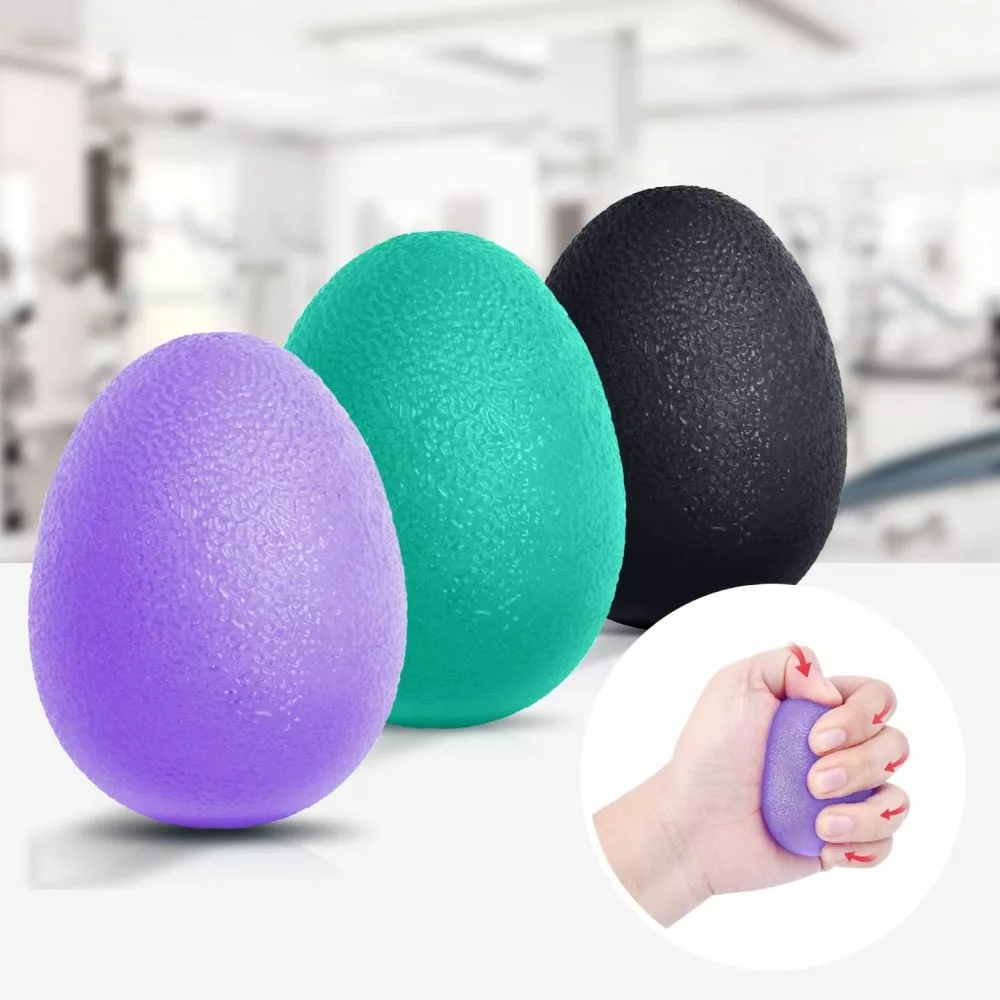
  • Stress ball squeezes for general hand conditioning – Repeated squeezes improve circulation, encourage muscular endurance, and provide a simple way to keep the hands active during breaks.
  • Pinch grip holds for finger control – Holding a small object between the fingertips develops dexterity and precision, which can benefit both keyboard users and gamers who rely on accurate finger movements.
  • Light endurance holds for fatigue resistance – Sustained gripping exercises teach the hands and forearms to maintain force for longer periods, helping delay the onset of hand fatigue during extended work or gaming sessions.

Strong hands aren’t just powerful; they can perform consistently
for hours without fatigue becoming a limitation.

Hand gripper training is a cornerstone for developing controlled strength. By regularly using a hand gripper, you can boost your hand’s power and stamina, which is especially useful during intensive tasks that require sustained mouse control, controller use, or prolonged keyboard work.

Rubber band finger extensions can enhance finger flexibility and stability. By placing a rubber band around your fingers and spreading them, you’re working on muscles that might not get much attention otherwise. This can help balance the repetitive gripping and finger flexion common among gamers and desk workers.

Simple stress ball squeezes remain one of the most effective exercises for boosting overall hand strength. Regularly squeezing a stress ball can improve grip, encourage circulation, and ease tension that accumulates throughout the day.

Pinch grip exercises help refine finger control, vital for tasks requiring precision. Holding a small object with your fingertips improves dexterity and the fine motor skills necessary for both gaming and typing, where precise finger movements often determine performance and efficiency.

Light endurance drills like these aren’t just about brute strength. They’re about ensuring your muscles can sustain activity over time, helping you beat fatigue before it becomes a distraction. Improved hand endurance can contribute to greater comfort, better control, and more consistent performance during long gaming sessions and workdays.

Building a Daily Hand Health Routine

Building a Daily Hand Health Routine

Incorporating hand exercises into your daily routine can seem like a daunting task, but with the right approach, it can fit seamlessly into your day. The key is to select quick exercises that can be done during short breaks, ensuring you’re consistently promoting hand health without losing focus on your tasks. This approach works especially well for gamers and desk workers who spend hours using keyboards, mice, or controllers.

Warm-up routines before a gaming session can set the stage for enhanced performance. A few minutes of simple stretches and mobility work can minimize injury risks and help you maintain control, responsiveness, and precision during gameplay. For competitive gamers, this can also help prepare the hands and wrists for extended sessions.

A few minutes of preparation can save hours of discomfort later.

After long periods of typing, recovery exercises are crucial. These movements help in alleviating the stress that accumulates from prolonged hand usage. Stretching and light mobilizations can be particularly effective in unwinding those tight muscles and restoring comfortable movement.

Frequency matters: hand exercises should be performed regularly but thoughtfully to keep the benefits rolling in. Finding a balanced schedule that suits your workload and game time will help you stay consistent without it feeling like a chore. Even a few minutes throughout the day can contribute to improved hand mobility and reduced fatigue.

Creating sustainable habits is all about integrating these exercises naturally within your day. By associating them with routine actions, like during coffee breaks, between gaming matches, or before shutting down the computer for the night, you build a pattern that feels less like an interruption and more like a health boost that supports long-term hand comfort and performance.

Preventing Long-Term Hand and Wrist Problems

Long-term health requires more than just exercise; it involves understanding the importance of ergonomics in your workstation or gaming setup. Proper alignment and supportive furniture can dramatically reduce strain on your hands and wrists. Whether you’re spending hours at a desk for work or gaming late into the evening, an ergonomic setup can play a major role in preventing unnecessary stress on the hands, wrists, and forearms.

Recognizing the early signs of overuse and strain is crucial. By catching symptoms like tingling, persistent aches, reduced dexterity, or unusual hand fatigue early on, you can adapt your habits before they develop into more serious conditions that interfere with gaming, typing, or daily activities.

Balancing intense activity with regular movement breaks is another essential strategy. These breaks help in resetting your posture, allowing tissues in your hands and wrists to recover before the tension builds up. Even short breaks between gaming matches or work tasks can make a meaningful difference over time.

Combining exercise with proper recovery habits like hydration and nutrition aids in maintaining hand health. A holistic approach ensures that all aspects of well-being are covered, supporting circulation, tissue recovery, and long-term performance.

Maintaining healthy hands benefits not just your immediate comfort but also ensures long-term productivity and enjoyment in your activities. It allows you to continue working, typing, and gaming with ease and effectiveness for years to come. By combining regular hand exercises, smart ergonomics, and consistent recovery habits, gamers and desk workers can build stronger, more resilient hands for the long haul.

Leave a Reply

Your email address will not be published. Required fields are marked *